
She Knows SEO contains affiliate links and is a member of the Amazon Services LLC Associates Program. If you make a purchase using one of these Amazon links, we may receive compensation at no extra cost to you. See our Disclosure Policy for more information.
Is a WordPress Blog Free in 2024?

Starting a new blog? Then you’re probably wondering this: Is a WordPress blog free?
I’ve been there!
Like you, I wanted to start my blog as cheaply as possible so I wasn’t spending thousands of dollars on something I wasn’t even sure I could do yet.
One of the first things I looked at was a free WordPress blog – I’d actually had one for years from school assignments.
The issue is, WordPress blogs aren’t exactly free – even though they advertise a “free” plan.
So let’s go over whether or not WordPress is really free so you can figure out how to start your blog affordably.
👩💻 Start your WordPress blog here!
Is a WordPress Blog Free?
Yes and no.
WordPress.com is a free platform that you can use to create a blog.
However, it’s not really meant for people who are serious about blogging – especially if you want to make money from your blog.
The main issue is that you don’t own your blog on WordPress.com.
They could shut down your account at any time and all of your content would be gone.
Plus, you’re limited in what you can do with your blog since you can’t install plugins or themes on WordPress.com.
In other words, you’re very limited in how you can customize and grow your blog.
On the other hand, if you use WordPress.org (also known as self-hosted WordPress that gets hosted elsewhere, and does cost $), you own your blog.
No one can shut down your account and you have full control over your blog.
You can install any plugins or themes you want, which gives you a lot of flexibility in how you design and grow your blog.
But… Hosting Isn’t Free
However, self-hosted WordPress isn’t free – you have to pay for hosting, which starts at around $3.95/month on certain hosting platforms.
So while WordPress.org isn’t free, it’s still very affordable – especially compared to other blogging platforms out there.
So a free WordPress blog platform does exist, BUT I don’t recommend using it.
If you’re looking to get serious about blogging and making money with your blogging business, then you’ll want to upgrade to a paid version of WordPress.
👩💻 Start your WordPress blog here!
WordPress.com vs. WordPress.org
Now that we’ve gone over the differences between WordPress.com and WordPress.org, let’s compare them side-by-side so you can see which one is right for you.
WordPress.com:
- Free platform
- Owned by WordPress
- Can’t install plugins or themes
- Very limited in customization
- Can’t make money from your blog (they run ads but you don’t get the money from it)
WordPress.org:
- Paid platform (can be WordPress or elsewhere)
- Owned by you
- Can install plugins and themes
- Lots of customization options
- Can make money from your blog
As you can see, there are some big differences between the two versions of WordPress.
If you’re looking to start a blog for fun or just to share your thoughts with the world, then WordPress.com could work for you.
But if you’re serious about blogging and want to make money from it, then you’ll need to use self-hosted WordPress.
In fact, self-hosted WordPress can be used with a variety of blog hosts – not just WordPress.org.
For example, my favourite blog host Lyrical uses WordPress. So my blogs are all on the WordPress system BUT I don’t pay a dollar to WordPress themselves.
👩💻 Start your WordPress blog here!
How is WordPress Funded?
WordPress.org is a non-profit organization that is funded by donations and other forms of income.
This includes money from the WordCamp conferences, which are WordPress-focused events held around the world, as well as from book sales and other merchandise.
As for WordPress.com, it’s a for-profit company that is owned by Automattic.
They make money from selling upgrades on WordPress.com, as well as from running ads on free WordPress.com blogs.
So there you have it – everything you need to know about whether or not a WordPress blog is really free.
While the platform itself is free, you’ll need to pay for hosting if you want to use self-hosted WordPress.
Otherwise, you can use the free version of WordPress.com – but be aware that you’re very limited in what you can do with it.
How Do People Make Money with WordPress?
Now that we’ve gone over the basics of WordPress, let’s talk about how people make money with it.
As I mentioned before, there are two ways to use WordPress – either with WordPress.com or with self-hosted WordPress.
If you want to make money from your blog, then you’ll need to use self-hosted WordPress.
This is because you can’t run ads or make any money from your blog if you’re using WordPress.com.
So how do people make money with self-hosted WordPress?
There are a few different ways:
1. Selling products or services from their blog
2. Running ads on their blog
3. Affiliate marketing
4. Sponsored posts
5. Creating and selling courses
6. Selling eBooks
7. And more!
As you can see, there are quite a few ways to make money with WordPress.
Which one you choose will depend on your interests, skills, and what you’re blogging about.
For example, if you’re a food blogger, then you could make money from your blog by selling cooking courses.
Or if you’re a travel blogger, you could make money through affiliate marketing or sponsored posts.
The sky’s the limit when it comes to making money with WordPress!
Free Features of WordPress
Free Software
WordPress.org and .com work off a free, open-source software.
The original developers continue to work on it and pass it down to anyone who wants to use or improve it.
You can take the existing code and create your own version or project with customizations.
This is what makes WordPress one of the most popular site-building platforms in the world, with millions of sites using it.
Free Themes
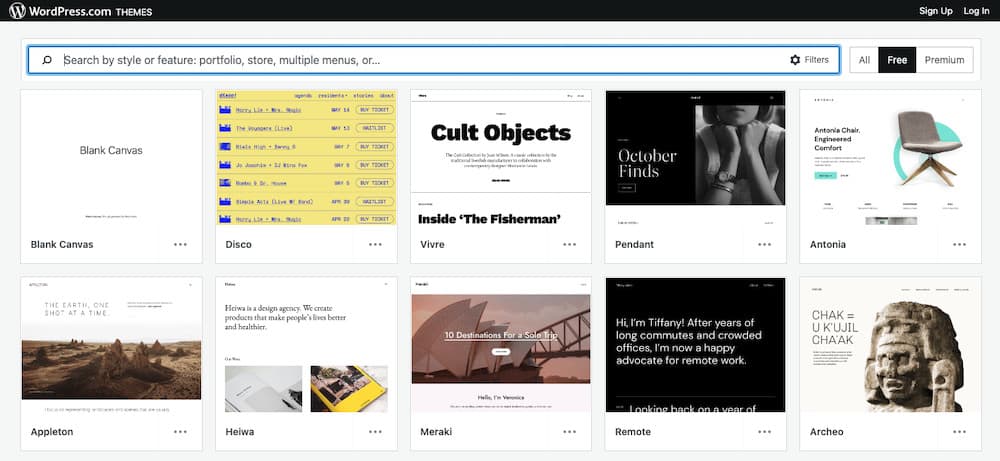
Themes are the skins that change how your site looks.
You can find both free and paid themes, with the majority being free.
However, free themes often don’t have all the features you want, or they’re not as high quality as paid themes.
Free Support
WordPress.com and .org have very active support communities made up of volunteers from around the world.
You can find forums, documentation, and chat groups to help you with any issues you run into while using WordPress.
For 1:1 support, you’ll need to pay.
To be honest, I find the free support very lacking. They rarely help solve issues and the majority of people giving answers are strangers who don’t work for the company.

Free Plugins
Plugins are add-ons that give your site more functionality.
For example, there are plugins to help you with SEO, security, social media, forms, and much more.
Like themes, there are free and paid plugins, with the majority being free.
But free plugins can only get you so far. Many give you 10% of their tech abilities for free to try and convince you to pay more for more functionality, which you’ll need on a free theme.
Free Updates
WordPress.com and .org sites receive free updates to the software as they become available.
New features are always being added, and security and bug fixes are released on a regular basis.
Hidden Costs in a WordPress Blog
Hosting
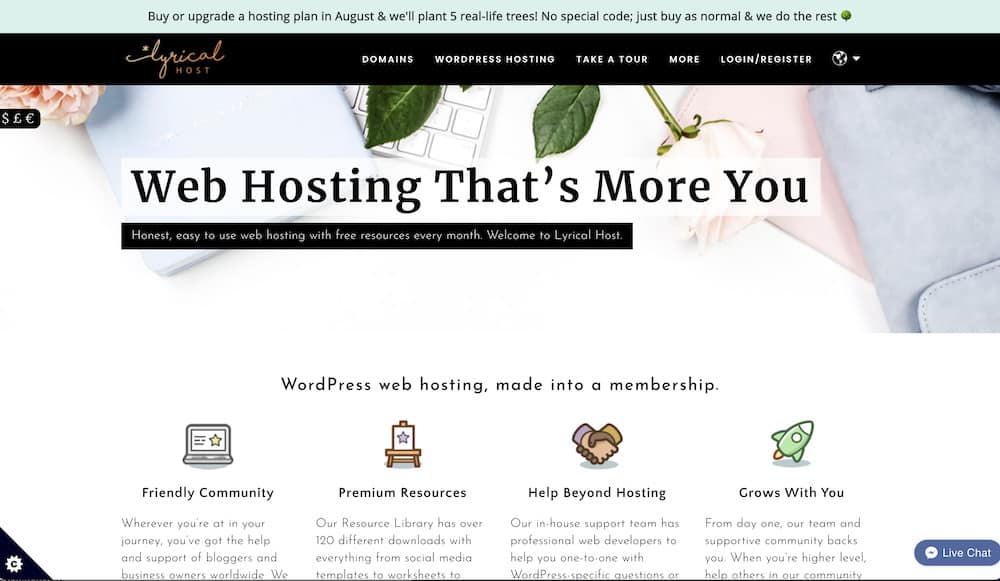
If you want to use self-hosted WordPress, then you’ll need to pay for hosting.
Hosting is a monthly or yearly fee that gives you space on a server to store your website files.
Without hosting, your website won’t be accessible on the internet.
The cheapest hosting you’ll find is with Bluehost.
But I recommend, if you’re serious about blogging, upgrading to my favourite host Lyrical – because they offer so much free stuff that it’s actually cheaper than Bluehost in the end.
👩💻 Start your WordPress blog here!
Domain Name
Your domain name is your website’s address on the internet.
For example, mine is www.sheknowsseo.co.
You can usually get a free domain name when you sign up for hosting, but it will have the host’s name in it (like .blog or .wordpress.com or .site).
If you want a custom domain name, then you’ll need to pay for it.
Domain names usually cost around $14.99/year.
You MUST have a domain name to be taken seriously in the blogging world and to rank on Google for more keywords.
👩💻 Save $1 on your domain name with code “Nina”
Premium Support
If you need 1:1 support from WordPress, then you’ll need to pay for it.
Premium support starts at $99/year.
This is the only way to get timely, quality support from actual WordPress employees.
If you have a paid hosting plan outside of WordPress, like with Lyrical, you get free support from them when you have any plan.
Themes
There are so many paid themes out there.
I’ve had paid themes a ton of times BUT they have never been worth it.
I actually recommend Kadence – a free theme. Their paid theme is helpful, but it’s expensive so you don’t need it to start out.
👩💻 I recommend the Kadence theme (free is fine!)
Plugins
There are both free and paid plugins. Paid plugins usually give you more features or they’re from a company that also offers support for it.
I only recommend a few paid plugins:
Here are all of my favourite plugins (most are free!).
Images & Graphics
If you want to use high-quality images on your site, then you’ll need to pay for them.
You can find free images, but they’re often low quality and not worth using.
I get all of my stock photos from DepositPhotos.com (paid) and a few from Unsplash (free).
Whenever possible, do try to use original images (even if they’re a bit grainy or blurry. They’ll rank better for SEO with Google).
I also use custom graphics with Canva. I have the pro plan to be able to get more templates for social media, email opt-ins, and even to get paid photos!
Outsourcing
If you don’t want to do everything yourself, then you’ll need to outsource some tasks.
Outsourcing can be expensive but it’s worth it to free up your time so you can focus on what’s important – writing great content!
I’ve outsourced everything from social media to bookkeeping.
I even have a team of writers that help me with some of my blog posts!
It’ll take time to get here, but early on you’re likely to need some tech help or even a logo designed. So be sure to have a few hundred dollars set aside.
How to Start a Cheap WordPress Blog
Now that you know all of the potential costs of starting a WordPress blog, let’s talk about how to do it cheaply.
To start a blog with WordPress, you’ll need a host.
I recommend using a host that isn’t WordPress.com. Instead, use Bluehost or Lyrical Host.
Bluehost is the cheapest option and it’s only $3.95/month when you sign up for 36 months.
Then purchase a custom domain name (.coms perform best for Google). Need some ideas for a travel blog name? Get my suggestions here!
You can buy a domain name for under $20/year here.
The reason you don’t want to buy a domain name with Bluehost or Lyrical is for security. If someone hacks one part of your site like your domain or your hosting, they won’t be able to get it all and lock you out of your site (unfortunately it does happen).
Once your site is up and connected, it’s time to pick a theme!
Here are some of my favourite free themes:
I recommend Kadence theme – it’s free and lightweight for SEO. (It’s the one on this site right now!)
Then it’s all about picking the right plugins and colours to make it look the way you want.
When you’re ready, then you need to start writing SEO optimized posts!
So is WordPress free?
WordPress is not free.
There are a few costs associated with setting up and maintaining a blog, but the investment can be worth it in terms of increased traffic and better search engine rankings.
With the right tools, you can keep your costs low without sacrificing quality.
My first year of blogging cost me under $79 USD for hosting, my domain name, and 1 paid plugin.
Now, annually, it costs me $500 USD to run multiple blogs per year – but they earn me much more in return!
👩💻 Start your WordPress blog here!
Read More WordPress Blogging Tips
- 7 Worst WordPress Plugins You Should Delete Immediately
- Is a WordPress Blog Free?
- Essential WordPress SEO Plugins for Bloggers
- Blog Accessibility Checklist
- 60+ Best Blog Tools and Resources
- How to Add a Hyperlink in WordPress (Block and Code Editors)
- Lyrical Host Review: The #1 Host for Bloggers
- How to Create Jump Links in WordPress in 2 Steps
- How to Change a WordPress Theme: Step by Step Tutorial
- How to Export A List of All Blog Posts from WordPress Without a Plugin
- WebPageTest.org Tutorial: How to Find and Fix Site Speed Issues for Free
- How to Make an Author Box with Kadence for Better EEAT
- How to Use the Rank Math SEO Plugin: Step By Step Tutorial
- How to Change a Blog Post URL in WordPress Without Breaking Your Site
- When to Mark a Link “No Follow” for SEO
- When to Mark a Link as “Sponsored” for SEO
